
← All Features
✓ Live Now

🚚 Carrier TMS

Complete transportation management for carriers of every size. Manage loads from booking to invoicing, dispatch drivers with real-time GPS visibility, parse rate confirmations with AI, and track payments — all from a single dashboard built for the way carriers actually work.

Get Started Free →
700+
Active Drivers
Real-Time
GPS Tracking
Automated
Invoicing
$0
Through Dec 2026
VAU0 Carrier TMS dispatch dashboard
📋 Core Features
Everything a carrier TMS should be.

Eight core modules that cover every aspect of carrier operations. Each one is built to work independently or as part of the complete VAU0 platform.

📋
Load Management
Create loads manually or let AI build them from rate confirmations. Track every load from booking through delivery with a visual timeline. Support for multi-stop loads, partial loads, and load templates that save time on recurring lanes. Unlimited loads per month with no per-load fees.
🗺
Dispatch Board
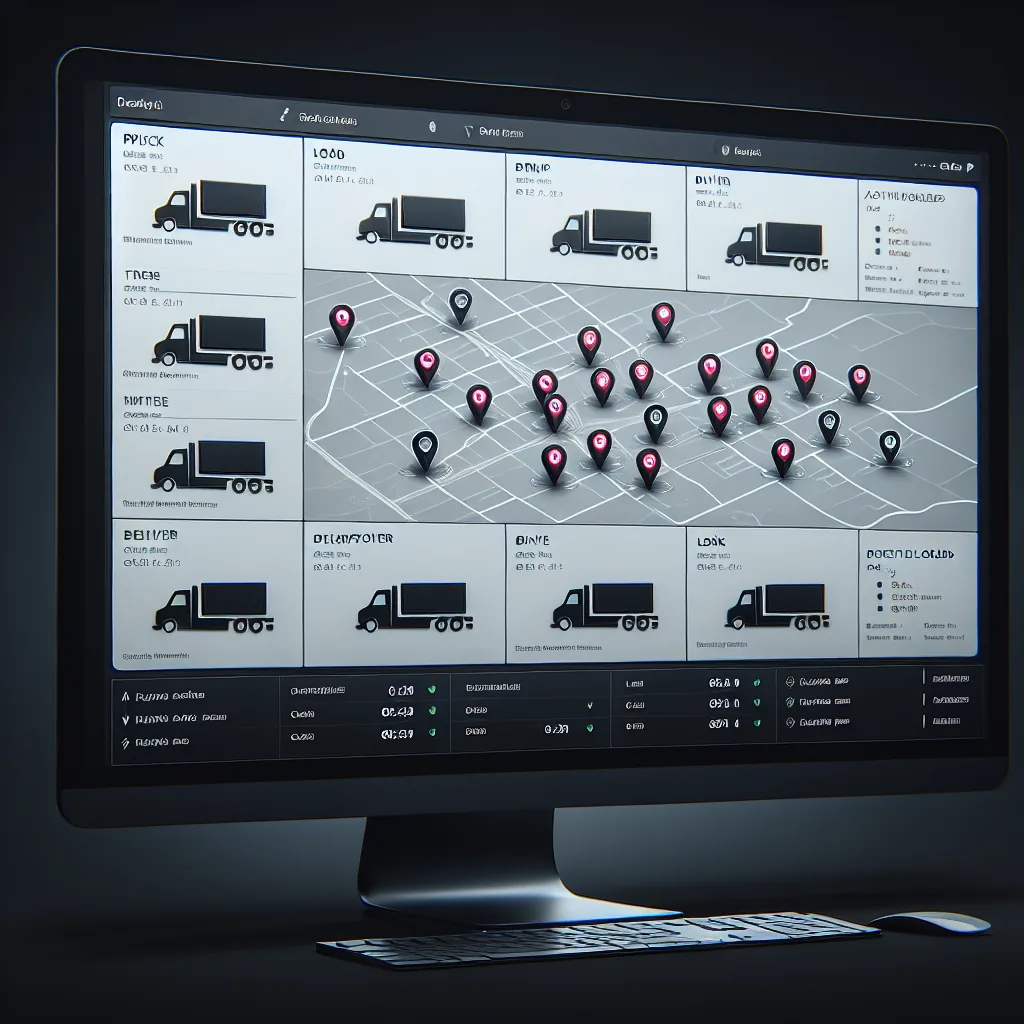
A visual board showing every active load, its current status, and the assigned driver’s location. Color-coded status indicators let you see at a glance which loads are booked, in transit, delivered, or invoiced. Drag-and-drop driver assignment makes dispatching fast and intuitive.
🤖
Rate Con Handling
Upload a broker’s rate confirmation PDF and AI extracts every detail automatically: origin, destination, pickup date, delivery date, rate, broker contact, commodity, weight, and special instructions. Works with rate cons from C.H. Robinson, Echo, Coyote, XPO, TQL, and hundreds of other brokers with 95%+ accuracy.
💰
Invoicing
Generate invoices directly from completed load records. All load details, accessorial charges, and detention fees are pre-populated. Export invoices in QuickBooks-compatible format or send them directly to brokers via email. Track payment status, days outstanding, and aging balances from a single view.
📁
Document Storage
Every document associated with a load — rate con, BOL, POD, lumper receipts, scale tickets — is stored in one place and linked to the load record. Drivers can upload photos from the mobile app. Documents are searchable, downloadable, and organized automatically by load number, date, and type.
👤
Driver Assignment
See each driver’s current location, remaining HOS hours, equipment type, and availability before assigning a load. The system highlights the best-fit drivers based on proximity to pickup, available hours, and equipment match. Co-driver and team assignments are fully supported.
🤝
Broker Management
Maintain a database of broker contacts with company name, address, payment terms, credit rating, and historical lane data. Track which brokers pay on time and which ones don’t. When a rate con is uploaded, the system automatically matches it to the correct broker record or creates a new one.
📊
Reporting & Analytics
Revenue per mile, revenue per driver, top lanes, broker profitability, fuel costs, and fleet utilization — all calculated automatically from your load and expense data. Export reports to CSV or PDF. Identify your most and least profitable lanes, drivers, and broker relationships at a glance.
AI rate confirmation parser extracting load data
🔄 Workflow
The Complete Load Lifecycle

Every load follows a predictable path from booking to payment. The VAU0 TMS tracks each step automatically, so nothing falls through the cracks and every dollar is accounted for.

1
Load Posted by Broker
A broker posts a load on a load board or contacts your carrier directly. The load includes origin, destination, commodity, weight, pickup/delivery dates, and rate. Your dispatcher reviews the details and decides whether to accept.
2
Rate Con Received
The broker sends a rate confirmation PDF. This is the contract between the carrier and broker, specifying all load terms, rate, and accessorial provisions. Upload the PDF to VAU0 and the system takes over.
3
AI Parses Details
The AI engine reads the rate con and extracts all structured data: addresses, dates, times, rate, broker info, special instructions, and reference numbers. The load record is created automatically. The dispatcher reviews and confirms in seconds rather than typing everything manually.
4
Driver Assigned
The dispatcher selects a driver based on proximity to pickup, available HOS hours, and equipment type. The driver receives the load details on their mobile app with pickup instructions, delivery address, and any special notes.
5
Pickup Confirmed
The driver arrives at the shipper, loads the freight, and confirms pickup through the app. The load status automatically updates to “In Transit” and the GPS tracking link becomes active for the broker and shipper.
6
In Transit — GPS Tracked
The truck’s position updates on the dispatch board in real time via ELD GPS data. The broker can view a live tracking link without needing to call for check-calls. Geofence alerts notify the dispatcher when the truck is approaching the delivery location.
7
Delivered
The driver confirms delivery and the load status updates automatically. Delivery time, location, and any notes about the drop are recorded on the load timeline for future reference.
8
POD Uploaded
The driver photographs the signed proof of delivery (POD) and uploads it through the mobile app. The image is linked to the load record and available instantly for invoicing. No more waiting days for paper PODs to arrive in the mail.
9
Invoice Generated
With the POD on file, the system generates an invoice pre-populated with all load details, the agreed rate, and any accessorial charges. The invoice can be sent to the broker via email or exported in QuickBooks format with a single click.
10
Payment Tracked
The system tracks the invoice through payment. See outstanding balances, days since invoicing, and payment history by broker. Aging reports help you identify slow-paying brokers and manage your cash flow proactively.
Live dispatch board with driver assignments
🗺 Dispatch
The Dispatch Board

Your command center for fleet operations. Every active load, every driver, every status — visible on one screen with real-time updates.

🔴
Booked
Loads that have been accepted and have a rate con on file but haven’t been picked up yet. These appear in red on the board. The dispatcher can see the pickup date and time, the assigned driver, and how far the driver is from the pickup location. Loads approaching their pickup window without a confirmed driver are flagged with an alert.
🟢
In Transit
Loads currently being hauled. These appear in green with a live GPS dot showing the truck’s real-time position. The estimated arrival time updates dynamically based on current speed, remaining distance, and the driver’s available HOS hours. Brokers can view a shareable tracking link without needing TMS access.
🔵
Delivered
Loads that have been dropped off and are awaiting POD upload and invoicing. These appear in blue. The dispatcher can see whether the POD has been uploaded and whether the invoice has been generated. Loads sitting in “Delivered” status for more than 24 hours without a POD are flagged for follow-up.
🔷
Invoiced
Loads that have been invoiced and are awaiting payment. These appear in yellow. The board shows the invoice amount, the broker’s payment terms (typically Net 30), and the number of days since the invoice was sent. Once payment is received, the load moves to “Paid” status and is archived.
Real-time sync. The dispatch board updates automatically every 60 seconds with fresh GPS data from your ELD devices. Driver status changes, location updates, and load status transitions all appear without refreshing the page.
💰 Financials
Invoicing & Payments

Getting paid faster starts with invoicing faster. The VAU0 TMS generates invoices automatically from your load data, tracks every dollar, and gives you clear visibility into your accounts receivable.

Auto-Generated Invoices
Once a load is delivered and a POD is on file, the system can generate an invoice with a single click. All load details — origin, destination, rate, accessorials, detention, and reference numbers — are pre-populated from the load record. No re-typing, no copy-paste errors, no missing charges.
📈
QuickBooks-Ready Format
Export invoices in a format that imports directly into QuickBooks Online or QuickBooks Desktop. No manual data entry in your accounting system. Each invoice includes the broker name, load number, invoice date, due date, line items, and total amount — mapped to the correct QuickBooks fields.
📅
Aging Reports
See all outstanding invoices grouped by age: current, 1–30 days, 31–60 days, 61–90 days, and 90+ days. Identify which brokers are paying late and how much revenue is tied up in unpaid invoices. Use this data to make informed decisions about which brokers to continue working with.
👥 Carrier Profiles
Who Uses VAU0 TMS

The VAU0 TMS is designed to scale from a single owner-operator to a mid-size fleet. Here is how different types of carriers use the platform.

🚘
Solo Owner-Operators (1 Truck)
You are the driver, the dispatcher, and the back office. You need a TMS that doesn’t take an hour to learn and doesn’t cost $200/month. VAU0 gives you load tracking, rate con parsing, invoicing, and document storage so you can spend less time on paperwork and more time driving. The mobile app lets you manage everything from the cab.
🚚
Small Fleets (2–10 Trucks)
You have a small team and a dispatcher handling load assignments. The dispatch board gives you a visual overview of where every truck is and what every driver is doing. Rate con AI eliminates manual data entry. Invoicing is automated. You get the same tools that large carriers use, without the large carrier price tag.
🚛
Mid-Size Carriers (11–50 Trucks)
At this scale, you need reporting and analytics to understand which lanes are profitable, which drivers are productive, and which brokers are worth keeping. The VAU0 TMS provides all of this plus driver management, compliance tracking, and multi-user access so your dispatch team, safety manager, and accounting staff can all work in the same system.
🏆
Growing Companies (50+)
You are scaling fast and need a platform that grows with you. VAU0 handles unlimited loads, unlimited drivers, and unlimited users. AI dispatch agents can call brokers and negotiate rates around the clock, freeing your dispatch team to focus on operations rather than phone calls. The platform is designed so you never outgrow it.
📈 Compare
VAU0 TMS vs Competitors

See how VAU0 stacks up against the most popular TMS platforms for carriers. We built VAU0 to be more capable and less expensive than the alternatives.

Feature VAU0 TMS AscendTMS Truckbase TruckLogics
Price $0 through 2026 $0–$79/mo $75–$150/mo $15–$35/mo
Load Management Unlimited Limited free
AI Rate Con Parsing Built-in
AI Dispatch Agents 11 AI agents
ELD Integration Native (ERETH) Third-party Third-party
Driver Portal Full app Basic
Document Storage Unlimited Limited
Invoicing Auto-generated
Mobile App iOS & Android Basic
Live GPS Dispatch Map ELD-synced Extra cost
🔗 Integrations
Integration Ecosystem

The VAU0 TMS doesn’t exist in isolation. It connects to every other part of your carrier operation, creating a single source of truth across your entire business.

📡
ELD Data
The ERETH ELD feeds real-time driver HOS data directly into the TMS. When you assign a load, you can see exactly how many driving hours the driver has remaining. When a driver goes on duty, the load status updates automatically. No separate ELD dashboard needed — everything is in one place.
📍
GPS Tracking
Live truck positions appear on the dispatch map, updated every 60 seconds via ELD GPS. Create geofences around pickup and delivery locations for automatic arrival/departure notifications. Share tracking links with brokers so they can follow loads without calling for updates.
📱
Driver App
Drivers receive load assignments, navigation, and communication through the VAU0 mobile app. They can upload PODs, complete DVIRs, sign rate cons, and update load status without calling dispatch. The app works offline and syncs when connectivity is restored.
🤝
Broker Contacts
When the AI dispatch agent contacts a broker, the conversation history, rate negotiations, and booking confirmations are all linked to the load record in the TMS. Broker contact information, payment history, and lane preferences are maintained in a central database accessible to your entire team.
💲
Accounting
Export invoices, expenses, and settlement data in formats compatible with QuickBooks, Xero, and other accounting platforms. Revenue, fuel costs, driver settlements, and broker payments flow from the TMS to your books without manual re-entry. Keep your financials accurate and audit-ready at all times.
🛡
Compliance
Driver qualification files, drug testing records, insurance certificates, and vehicle maintenance logs are all managed within the VAU0 platform. The TMS checks compliance status before allowing a driver to be dispatched, ensuring you never send a non-compliant driver on a load.
🚀 Setup
Getting Started

Setting up the VAU0 TMS takes minutes, not days. There is no installation, no on-site training, and no long-term contract. Here is the complete process.

1
Create Account
Sign up at portal.vau0.com with your carrier name and USDOT number. Your account is ready in under two minutes. No credit card required and no contracts to sign.
2
Add Your Drivers
Enter your drivers’ information or invite them to onboard themselves through the driver portal. Each driver gets their own login, mobile app access, and ELD device assignment.
3
Upload First Load
Upload a rate con PDF or create a load manually. The AI will parse the rate con and build the load record. Assign a driver, and you are dispatching through the VAU0 TMS.
4
You’re Live
Your dispatch board is active, GPS tracking is running, and your driver has the mobile app. From here, every new load follows the same streamlined workflow. Scale at your own pace.
No setup fees, no training costs, no minimum commitment. Every feature on this page is available today at no charge through December 2026. Start with one truck or fifty — the platform scales with you.
🔗 Explore More
Related Features

The Carrier TMS integrates with these VAU0 features to create a complete operations platform for your carrier business.

Professional carrier fleet operations
Ready to see it in action?
Every feature on this page is available today — free through December 2026. Sign up and start dispatching in minutes.